 KARDINAL
Contractors · Guide
A contractor app for your customers: photos, quotes and one-tap calls
The fastest way to quote a job is to see it. Give customers an app that sends you photos and their request, and keeps your number on their phone.
By Harrison Holt · · 2 min read
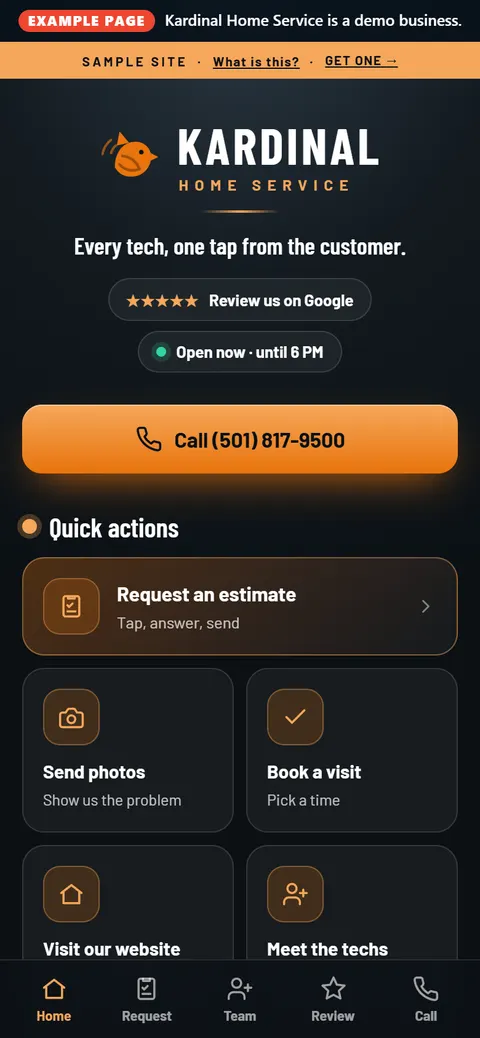
Roofers, plumbers, HVAC techs, electricians and remodelers all hear the same sentence: "Can you come take a look?" Sometimes you need to. A lot of times, a few photos would tell you what to bring, or whether it's your kind of job at all.
A contractor app puts that on the customer's home screen: call you, text you, send photos, request work from your own list of services, and see if you're open.
What customers can do from the app
- Call in one tap. A big Call button on the first screen, not buried in a footer.
- Text you, shown only when your number can take texts.
- Request work from your own services, read from your website.
- Send photos and files of the job straight from their phone.
- Save your number to Contacts in one tap.
- See if you're open, with hours you change from your phone.
A QR code on the truck
Your app has its own QR code and link. Put it on the truck, the yard sign, the invoice and the fridge magnet. The customer who scans it at the end of a job has your app saved for the next one. It saves like an app, a square icon with your name under it, with no app store.
Crew or owner-run: which one?
| Kardinal App | Kardinal for teams | |
|---|---|---|
| Best for | The business is the brand; customers call the office | Techs or estimators build their own customer list |
| Pages | One app for the business | A page and app for every person, plus the team |
| Leads go to | The business | Each person's own email or cell |
| Price | $97/mo, or $977/yr | Starts at $97/mo, +$27 per teammate ($17 from the 11th) |
| How to start | Sign and pay online | Request it; set up with Harrison |
Your website stays
Both run beside the website you already have. Your name, number, hours, services and logo come from your site and your Google listing, so they match. Usually it's live in a day or two.
Push notifications for the slow season
Customers who tap the bell can get push notifications from you: a seasonal tune-up, storm cleanup, a schedule opening. The Reach pack covers it, included for founding businesses during launch.
Straight answers
Do my customers have to download an app?
No. It opens in the browser and saves to the home screen like an app. No app store.
Where do the photos go?
To you, along with the customer's request.
Do I need a new website?
No. Keep the one you have. The app reads it and links back to it.